A purpose-built desktop editor that turns timestamped kyykkä throws into publishable match videos
- Python
- FFmpeg
- GitHub Actions
- PySide
Overview
Editing kyykkä match videos manually is repetitive: every throw needs to be located and clipped, and title, round-end, and result screens need to be added separately. Kyykkä Editor reduces that workflow to marking each throw’s impact moment with a hotkey. From those markers, it automatically produces the clips and generates the surrounding match graphics. A GitHub Actions workflow builds the application into a distributable Windows executable. Users who prefer not to run pre-built binaries can also build the application from source.
How it works
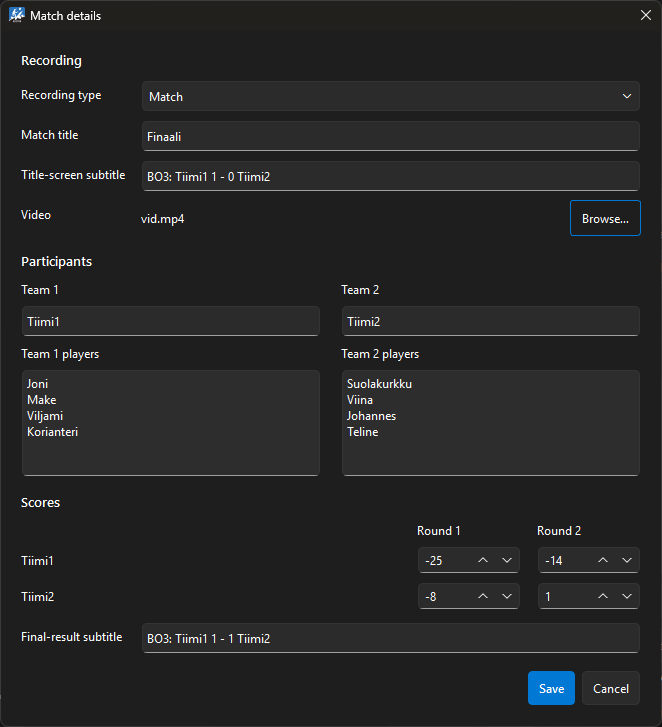
Users import their video and insert match details, including scores, team names, player names, match title and subtitles.
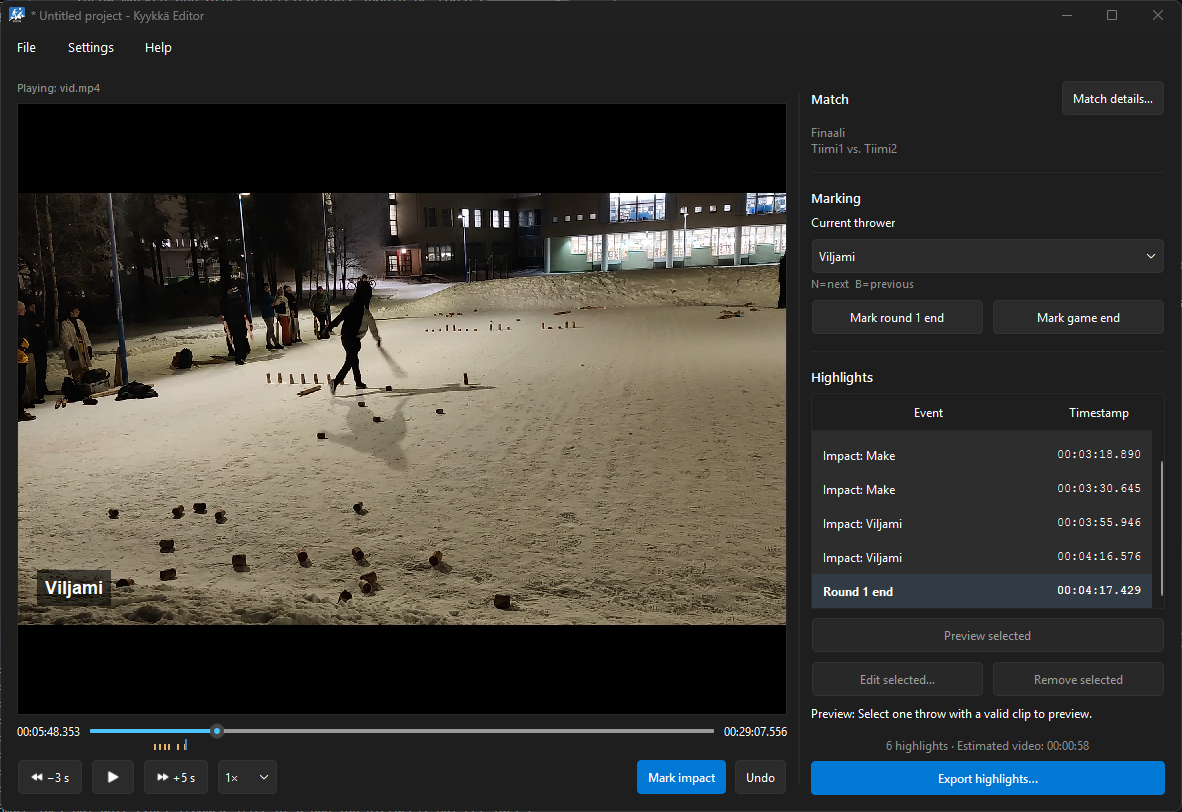
With the video and match details loaded, the user skims through the match and marks each throw’s impact moment using a configurable hotkey. For each marker, the editor calculates the clip boundaries using configurable offsets before and after the impact. The defaults are tuned to cover the throwing sequence of most players, while individual clips can be adjusted when necessary.
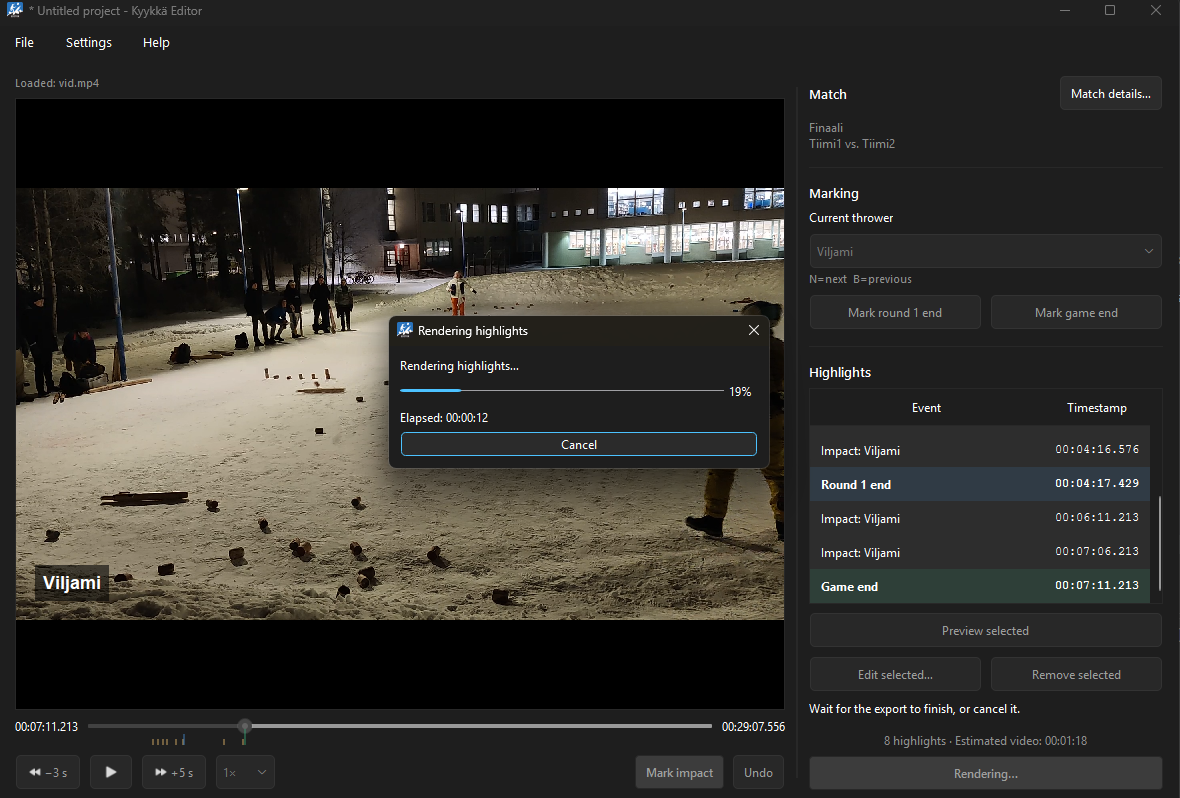
Kyykkä Editor exports a fully edited, publishable kyykkä video with a title screen, round-end screen and a game-end screen at the end.
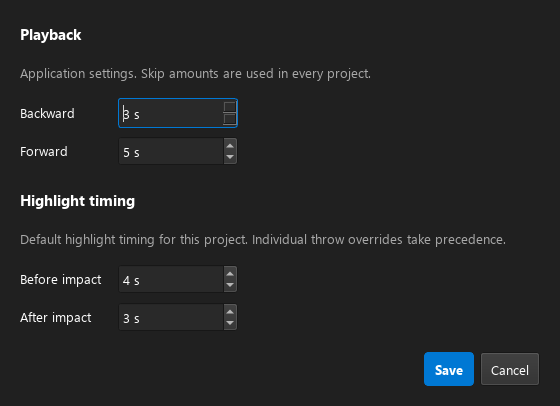
The software allows users to configure the clip trimming times and forward/backward skipping intervals to their liking.
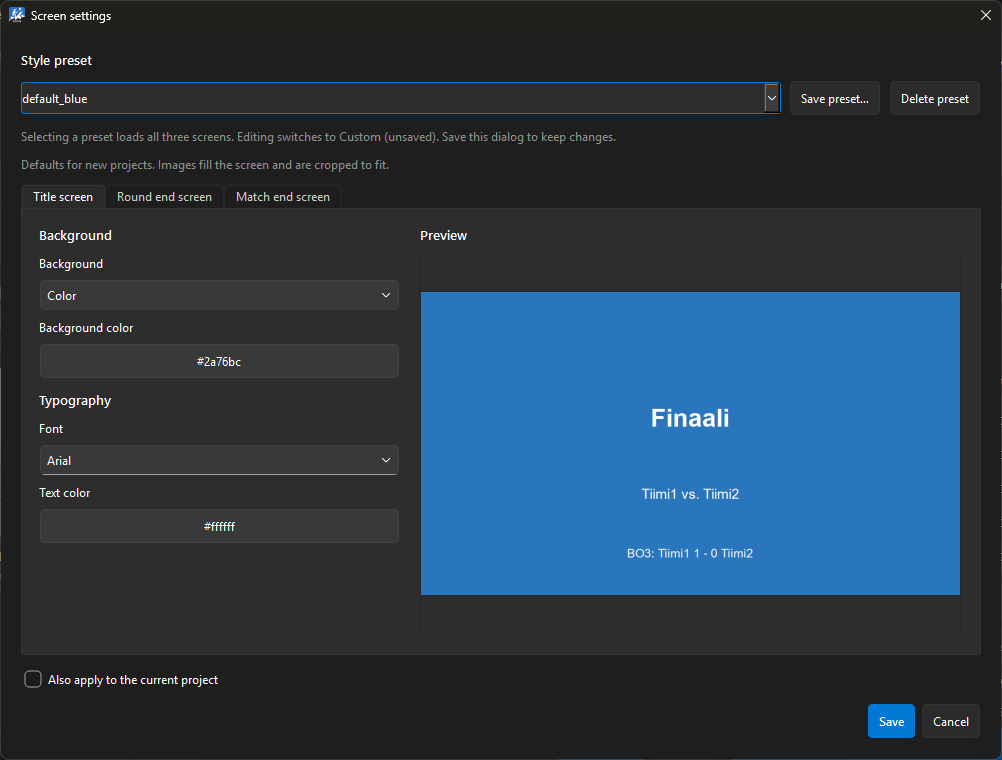
The language, title/round-end/game-end screen styles and hotkeys are also fully configurable by users.
Design decisions
The core design constraint was to preserve the four-button workflow of the original prototype. Instead of gradually turning the application into a general-purpose video editor, I added features only when they supported the kyykkä editing workflow.
Using the impact moment as the only required timestamp keeps the interaction minimal while still providing enough information to automatically determine the start and end of each throw.
I chose PySide for the UI because I was already familiar with it from university courses. FFmpeg was a natural choice for the media processing due to its extensive feature set, active maintenance, and broad community support.
What I learned
Building the smallest usable workflow first made it easier to evaluate later features: if a feature didn’t make the core editing workflow faster, simpler, or more flexible, it probably didn’t belong in the application. This project gave me yet another chance to refine the simple and effective software development process: Proof of concept → structure → supporting features → polish → release.
On the technical side, the project gave me practical experience integrating FFmpeg into an application rather than using it interactively from the command line, particularly around constructing commands programmatically and managing the rendering pipeline.
View on GitHub